Little Navmap is an open source flight planner. It supports working with flight simulators like X-Plane and Microsoft Flight Simulator.
The project was started ten years ago by Alexander Barthel. It is made up of ~120K lines of C++. It uses Qt5, OpenGL and D3D for rendering the UI. The 367 MB installation footprint includes a 134 MB SQLite3 database where its data is kept.
The application reminds me of QGIS, which has a code base that is an order of magnitude larger. Little Navmap only needs 14K lines of C++ for routing; the main UI is ~7K lines; the map display and interaction lean heavily on KDE's Marble, so only 21K lines are needed and weather support only needs 2K lines of code.
At the time of this writing, there are only 119 open issues and 992 closed ones on GitHub.
In this post, I'll walk through planning two flights with Little Navmap.
My Workstation
I'm using a 5.7 GHz AMD Ryzen 9 9950X CPU. It has 16 cores and 32 threads and 1.2 MB of L1, 16 MB of L2 and 64 MB of L3 cache. It has a liquid cooler attached and is housed in a spacious, full-sized Cooler Master HAF 700 computer case.
The system has 96 GB of DDR5 RAM clocked at 4,800 MT/s and a 5th-generation Crucial T700 4 TB NVMe M.2 SSD, which can read at speeds up to 12,400 MB/s. There is a heatsink on the SSD to help keep its temperature down. This is my system's C drive.
The system is powered by a 1,200-watt, fully modular Corsair Power Supply and is sat on an ASRock X870E Nova 90 Motherboard.
I'm running Windows on Windows 11 Pro. In case you're wondering why I don't run a Linux-based desktop as my primary work environment, I'm still using an Nvidia GTX 1080 GPU, which has better driver support on Windows and ArcGIS Pro only supports Windows natively.
Installing Prerequisites
I'm using X-Plane 12 as my flight simulator, which I bought from Steam. SteamDB's price monitoring service shows it going on sale briefly every few months.
I have Little Navmap 3.0.18 installed, which was released in November.
Little Navmap, Up & Running
I've changed the application's theme by selecting the Window Menu -> Style -> Dark.
I'm using a globe for my map view. This was changed via the View Menu -> Projection -> Spherical Map Projection.
Little Navmap is able to read X-Plane's aviation databases. When you first launch the application, you will be prompted to import this data. These were the item counts reported when I ran the import.
Files: 15,930
Airports: 38,890
VOR: 4,700
ILS: 11,387
NDB: 3,472
Markers: 1,042
Waypoints: 244,105
Airspaces: 24,213
Little Navmap can also be used as a live electronic flight plan while flying in the simulator. In the Tools Menu, click "Install Little XConnect in X-Plane Plugins".
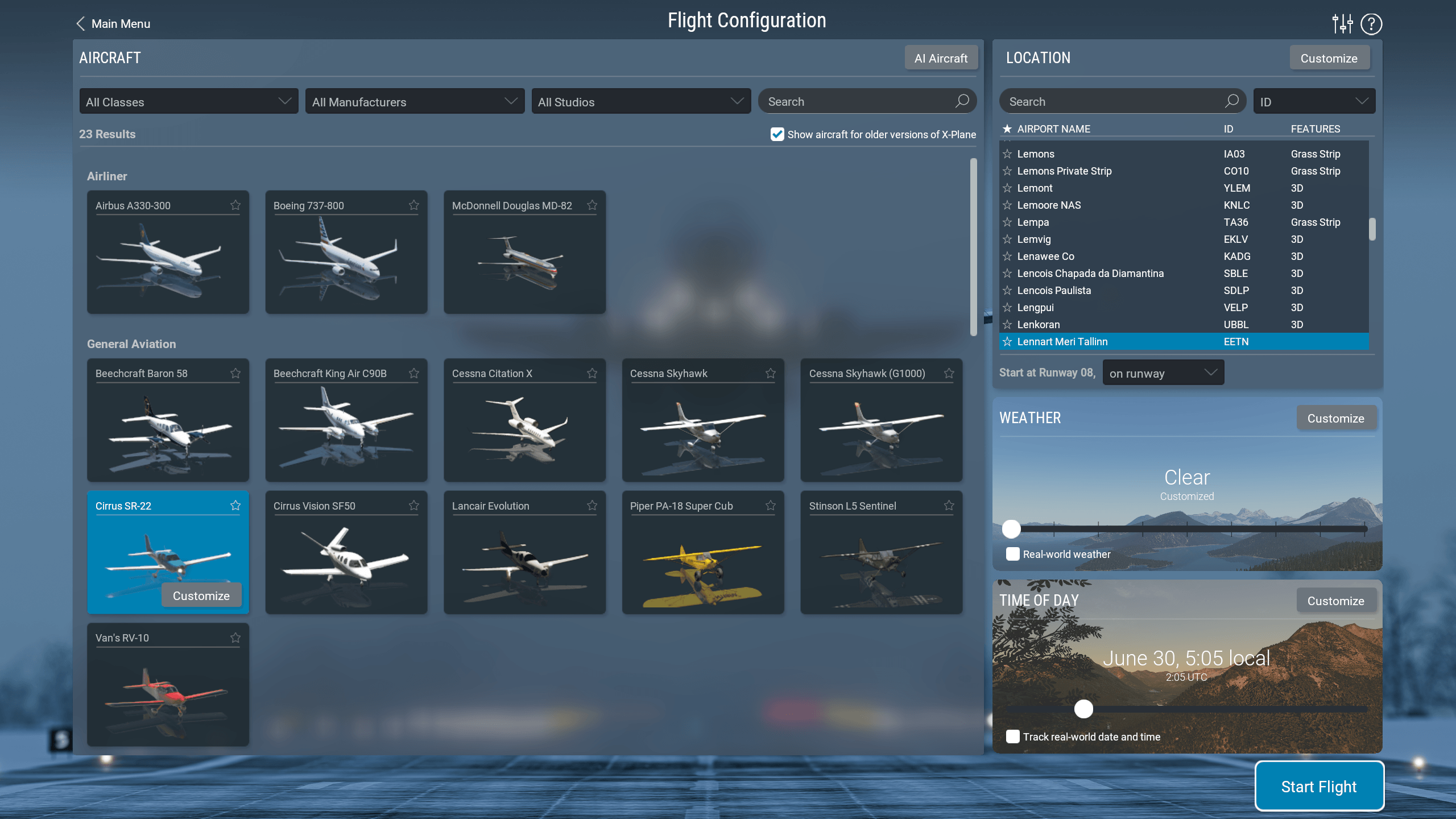
Then, launch X-Plane 12 and start a new flight. Below, I have selected a Cirrus SR-22T G6 aircraft and I'm departing from Tallinn's Lennart Meri Airport (TLL / EETN).
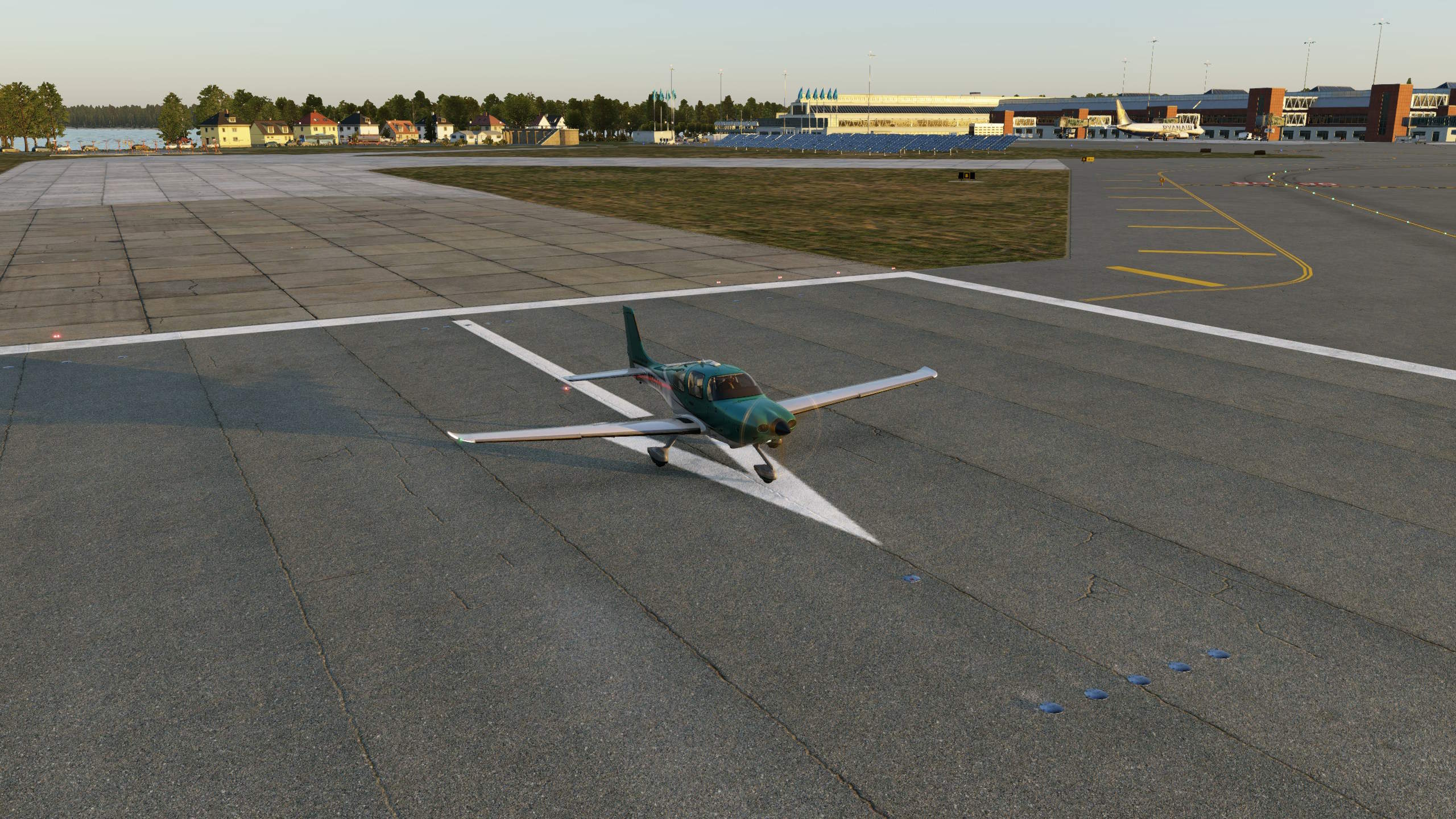
This is my aircraft sat on the runway in the simulator.
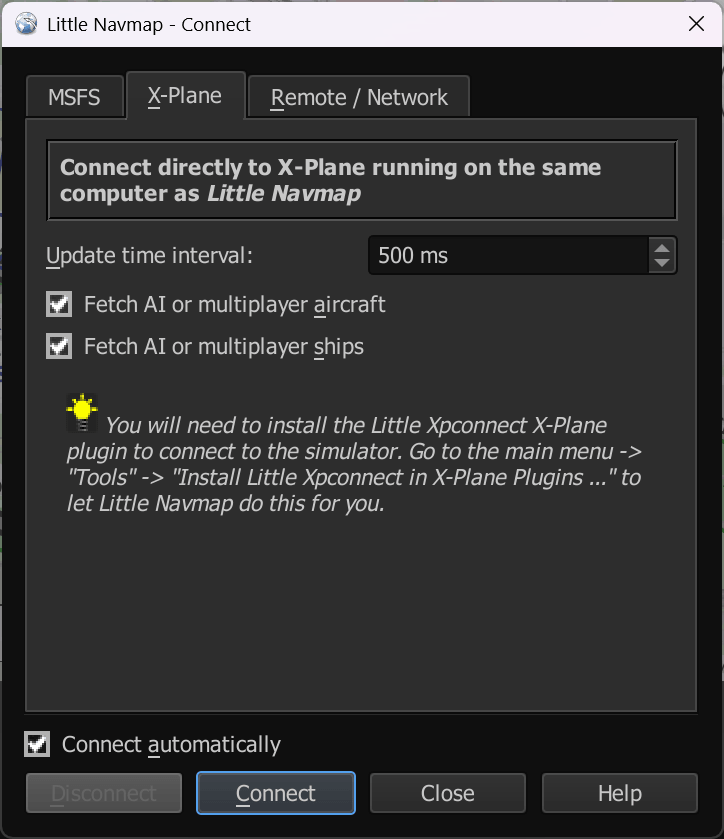
Back in Little Navmap, click the Tools Menu -> Connect to Flight Simulator. Select the X-Plane tab and then click the "Connect" button at the bottom of the dialog.
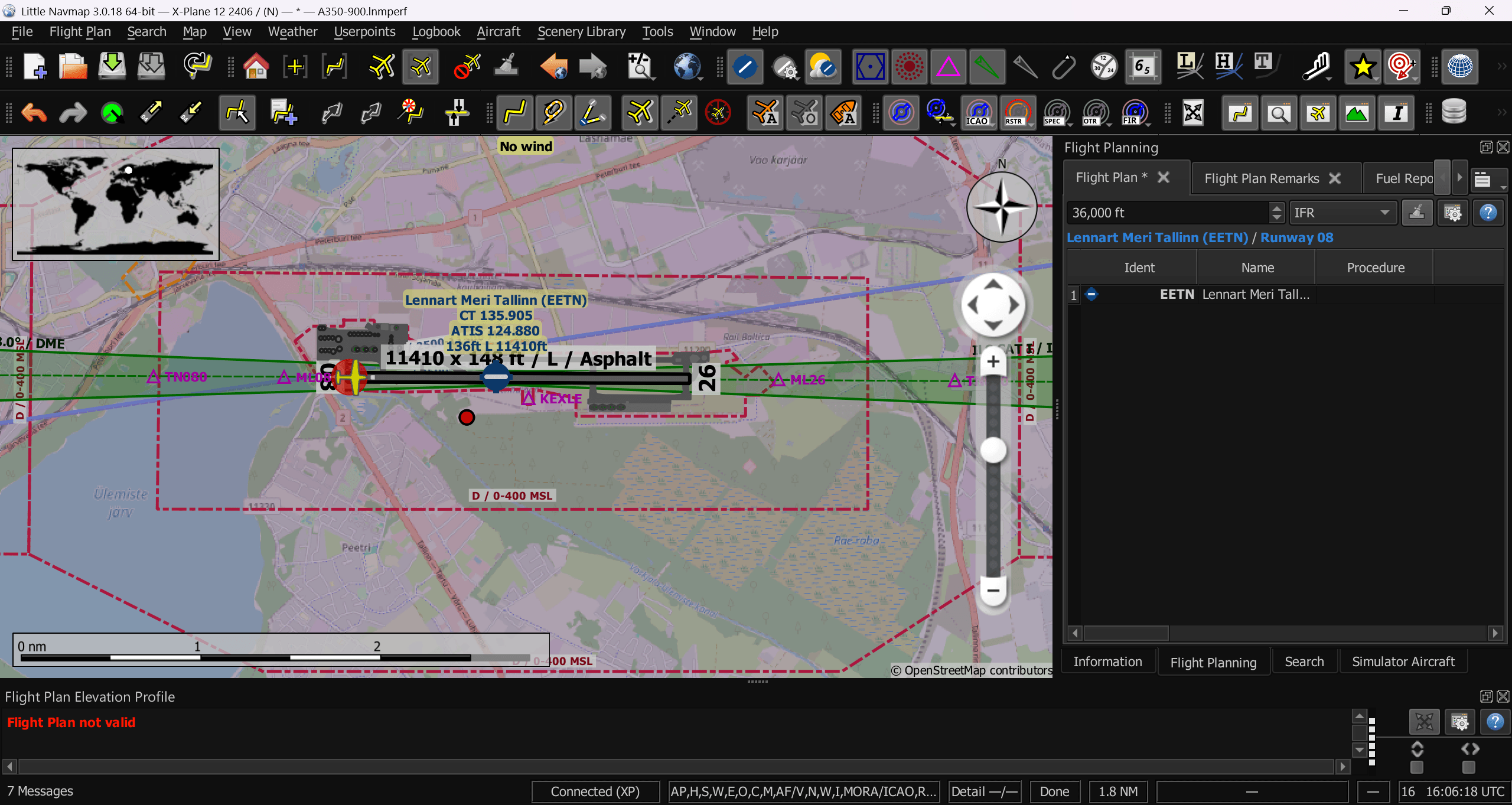
You should now see your plane's location from the simulator displayed in Little Navmap.
Tallinn to Copenhagen
I'll right-click Tallinn's Airport icon and set it to my departure airport.
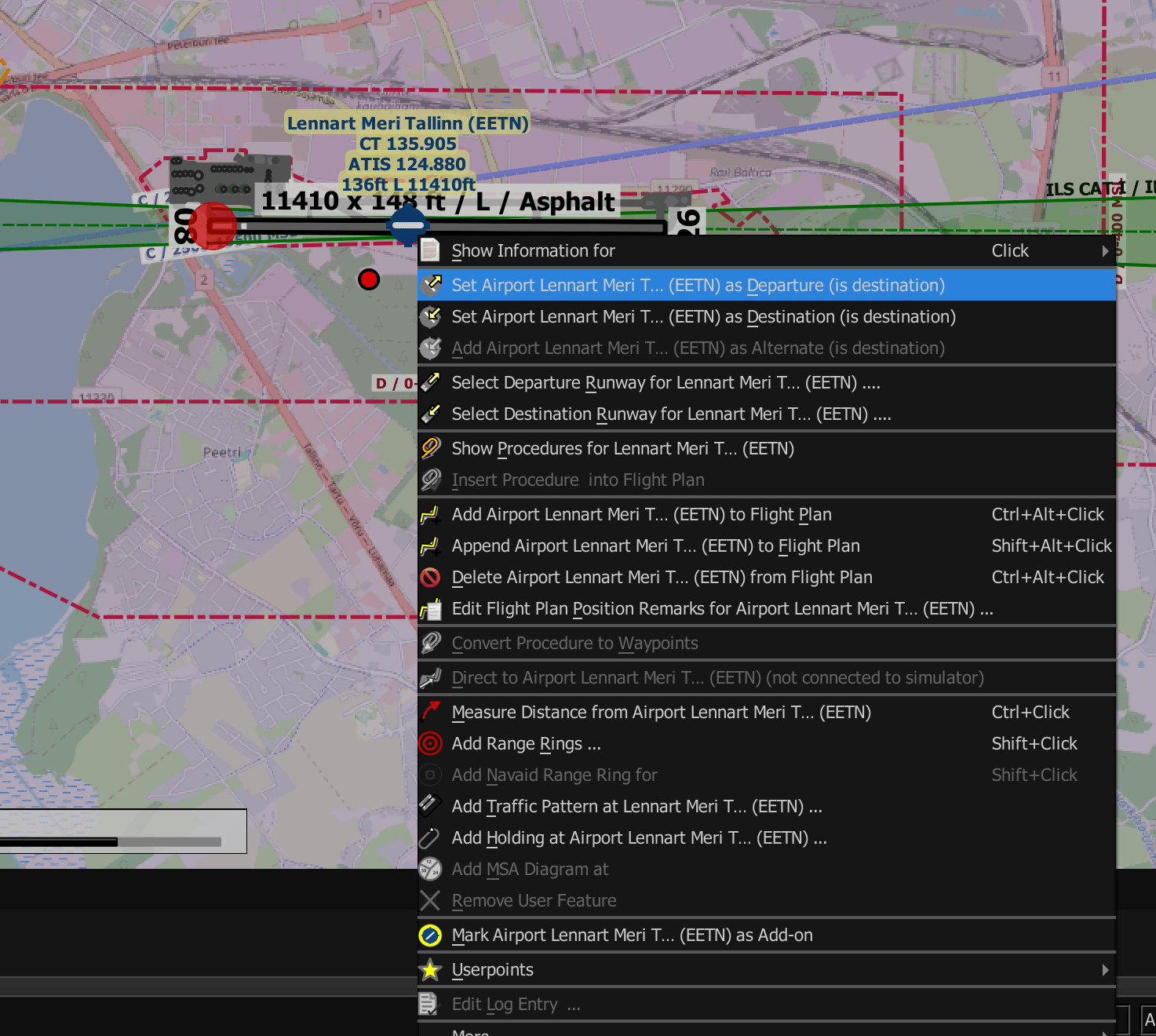
I'll then set Copenhagen's Kastrup Airport (CPH / EKCH) as my destination.
I've downloaded the aircraft performance data for the Cirrus SR-22T G6. Below are its contents.
[Options]
Metadata=Created by Little Navmap Version 2.4.5 (revision 0bde498) on 2020 06 17T16:12:26
ProgramVersion=2.4.5
FormatVersion=2.4.0
Name=Cirrus SR-22T G6
AircraftType=SR-22T
Description=
FuelAsVolume=true
JetFuel=false

[Perf]
UsableFuel=92
TaxiFuelLbsGal=1
ReserveFuelLbsGal=7
ExtraFuelLbsGal=1
ContingencyFuelPercent=10
ClimbVertSpeedFtPerMin=1200
ClimbSpeedKtsTAS=115
ClimbFuelFlowLbsGalPerHour=22
CruiseSpeedKtsTAS=183
CruiseFuelFlowLbsGalPerHour=14
DescentSpeedKtsTAS=160
DescentVertSpeedFtPerMin=850
DescentFuelFlowLbsGalPerHour=7
AlternateSpeed=120
AlternateFuelFlow=14
MinRunwayLength=1800
RunwayType=Soft
I'll click the Aircraft Menu -> Open Aircraft Performance. Then open the above lnmperf file.
Then, I'll click the Flight Plan Menu -> Flight Plan Calculation. I'll leave all the default values as they are and hit calculate.
This is the generated flight plan.
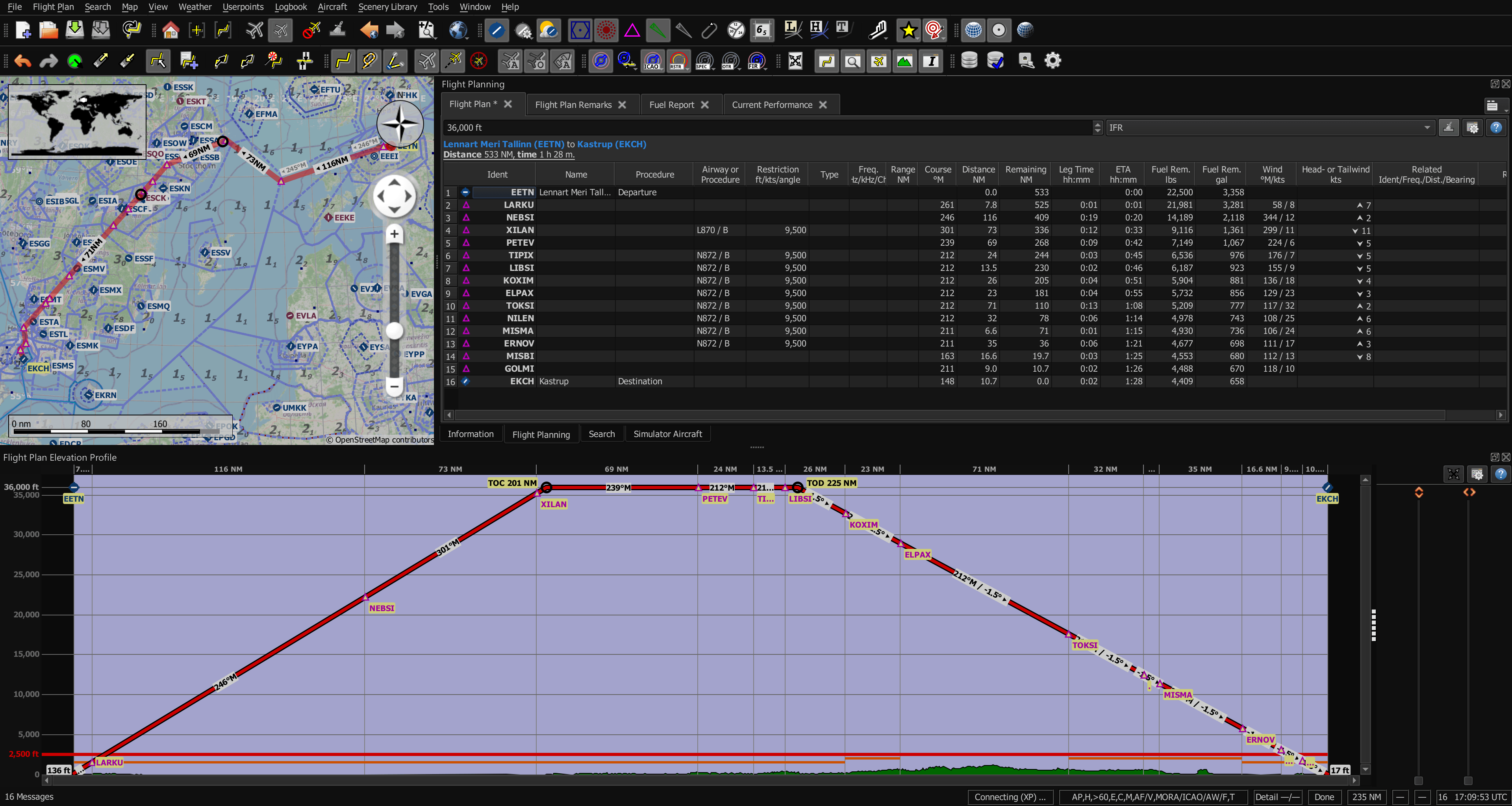
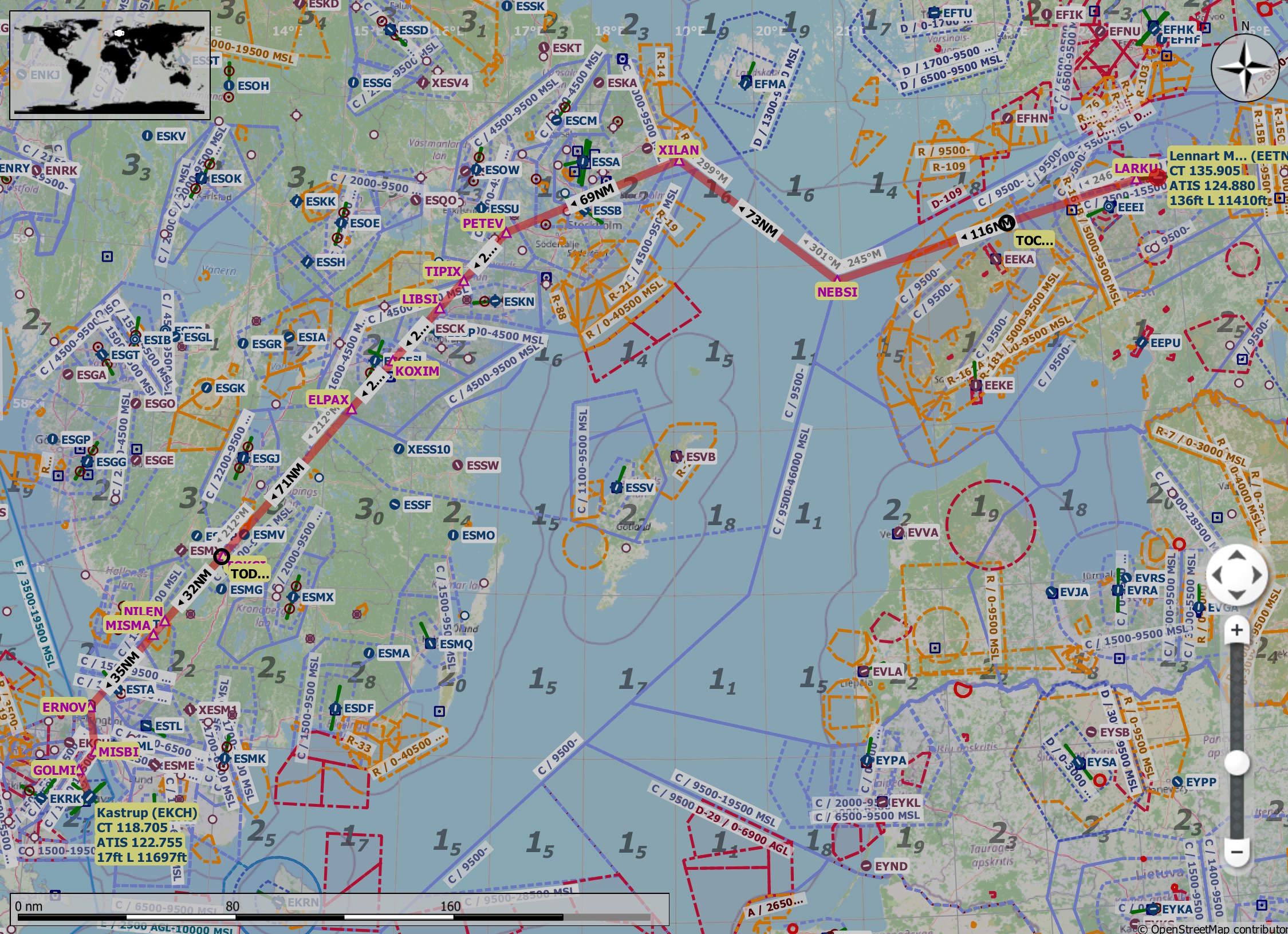
Zooming into the map, I can see the legs of the flight over the Baltic Sea, across Sweden and into Denmark.
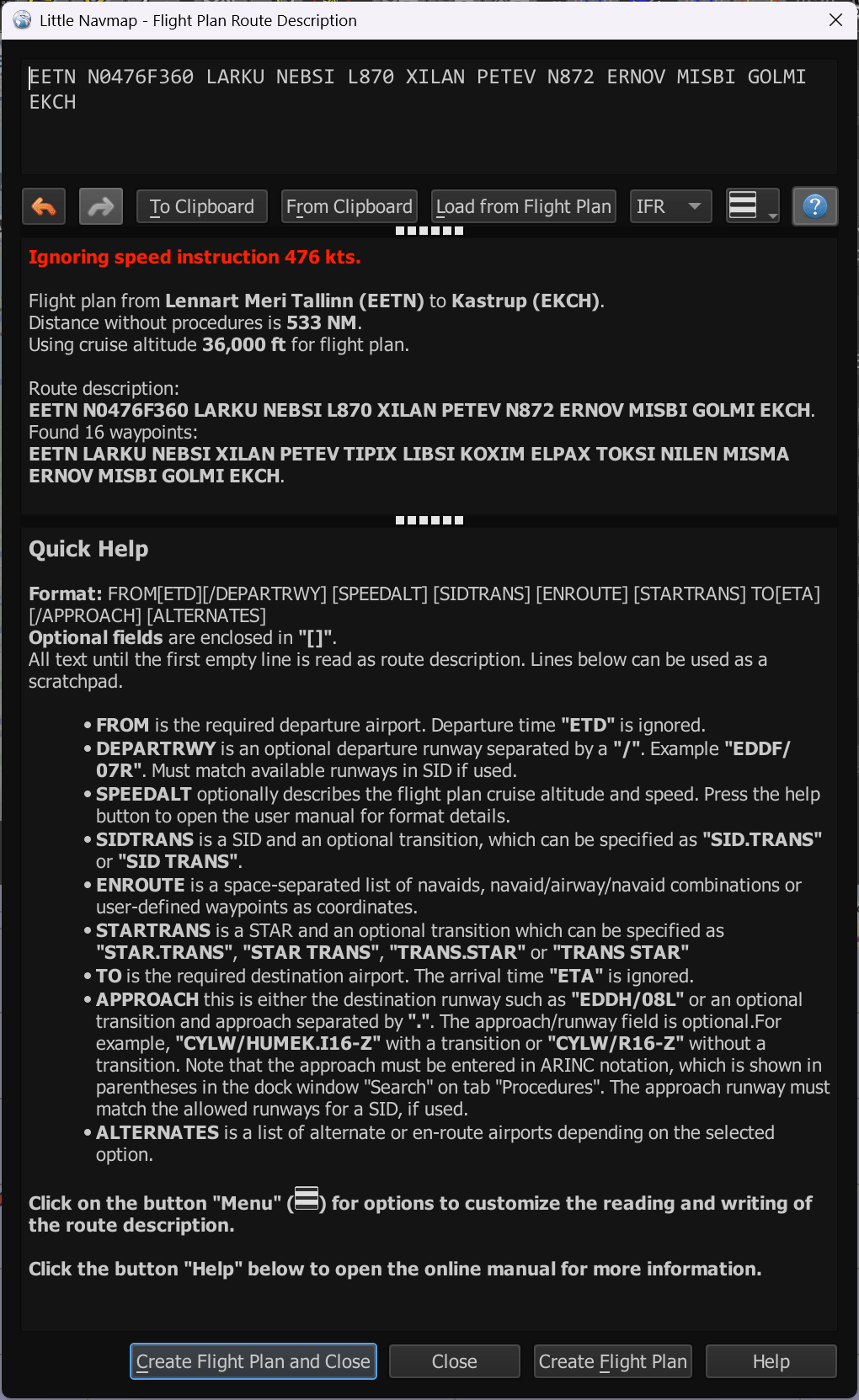
Click the Flight Plan Menu -> Flight Plan Route Description. Click the "Load from Flight Plan" button at the top. You should now see the details of the flight plan string.
Helsinki to Bangkok
I'll start a new flight plan and load the aircraft performance details for the Airbus A350-900. This is its performance file.
<?xml version="1.0" encoding="UTF-8"?>
<LittleNavmap xmlns:xsi="http://www.w3.org/2001/XMLSchema-instance" xsi:noNamespaceSchemaLocation="https://www.littlenavmap.org/schema/lnmperf.xsd">
  <AircraftPerf>
    <Header>
      <CreationDate>2024-03-05T15:18:29+01:00</CreationDate>
      <FileVersion>1.0</FileVersion>
      <ProgramName>Little Navmap</ProgramName>
      <ProgramVersion>2.8.12</ProgramVersion>
      <Documentation>https://www.littlenavmap.org/lnmperf.html</Documentation>
    </Header>
    <Options>
      <Name>IniBuilds A350 - 900</Name>
      <AircraftType>A359</AircraftType>
      <Simulator>MSFS</Simulator>
      <Description>A320 CFM Fenix</Description>
      <FuelAsVolume>0</FuelAsVolume>
      <JetFuel>1</JetFuel>
    </Options>
    <Perf>
      <ContingencyFuelPercent>00.0</ContingencyFuelPercent>
      <ExtraFuelLbsGal>0.000</ExtraFuelLbsGal>
      <MinRunwayLengthFt>6000.000</MinRunwayLengthFt>
      <ReserveFuelLbsGal>4409.25</ReserveFuelLbsGal>
      <RunwayType>HARD</RunwayType>
      <TaxiFuelLbsGal>1512.37</TaxiFuelLbsGal>
      <UsableFuelLbsGal>48501.7</UsableFuelLbsGal>
      <Alternate>
        <FuelFlowLbsGalPerHour>14330.0</FuelFlowLbsGalPerHour>
        <SpeedKtsTAS>250.000</SpeedKtsTAS>
      </Alternate>
      <Climb>
        <FuelFlowLbsGalPerHour>24462.5</FuelFlowLbsGalPerHour>
        <SpeedKtsTAS>360.000</SpeedKtsTAS>
        <VertSpeedFtPerMin>1069.000</VertSpeedFtPerMin>
      </Climb>
      <Cruise>
        <FuelFlowLbsGalPerHour>12215.8</FuelFlowLbsGalPerHour>
        <SpeedKtsTAS>476.000</SpeedKtsTAS>
      </Cruise>
      <Descent>
        <FuelFlowLbsGalPerHour>2407.450</FuelFlowLbsGalPerHour>
        <SpeedKtsTAS>331.000</SpeedKtsTAS>
        <VertSpeedFtPerMin>877.000</VertSpeedFtPerMin>
      </Descent>
    </Perf>
  </AircraftPerf>
</LittleNavmap>
I'll set Helsinki Vantaa (HEL / EFHK) as my departure airport and Bangkok's Suvarnabhumi International (BKK / VTBS) as my arrival airport.
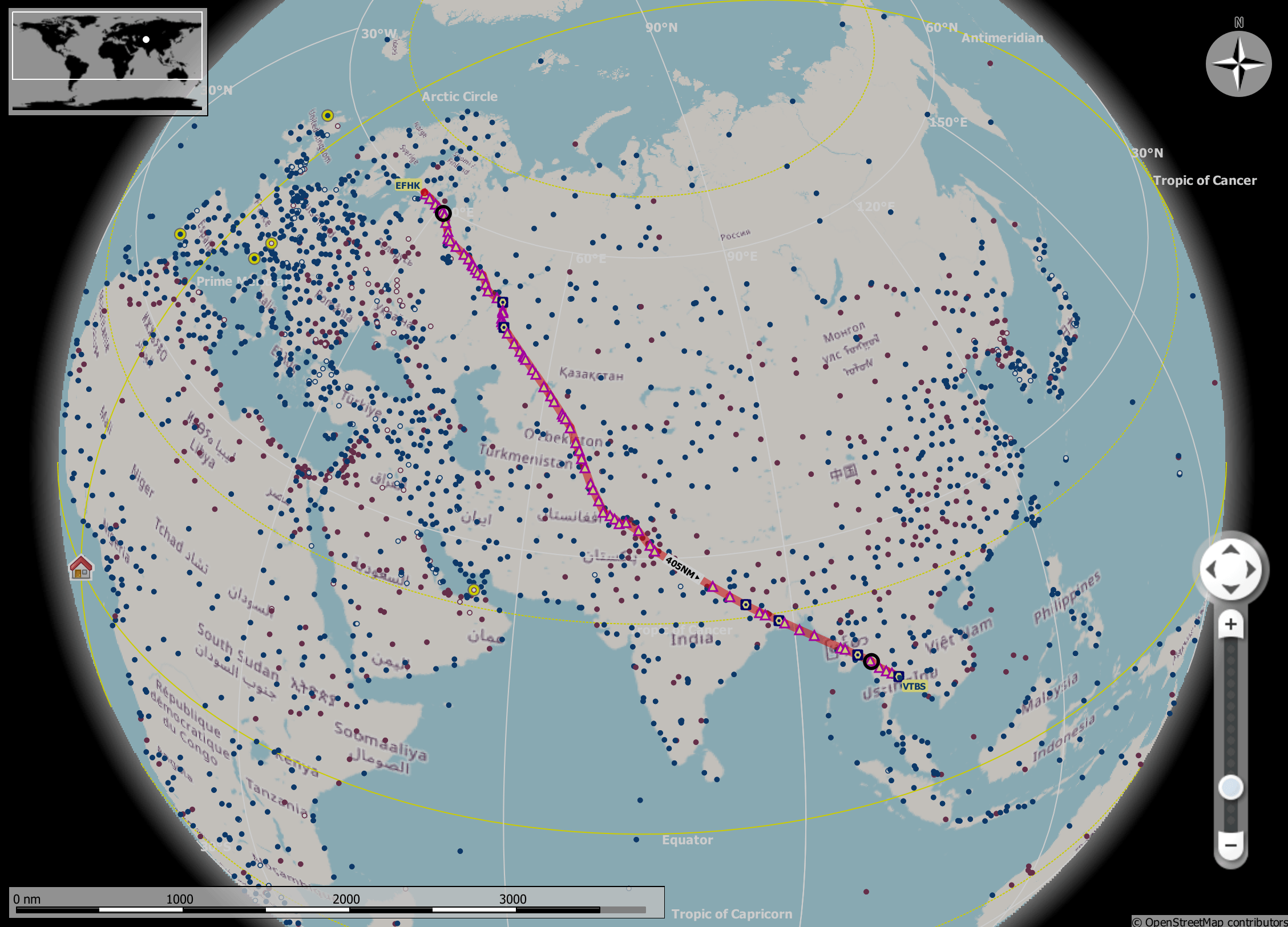
I don't have any airspace restrictions set up, so Little Navmap's auto-generated plan implausibly has me flying through Russian airspace.
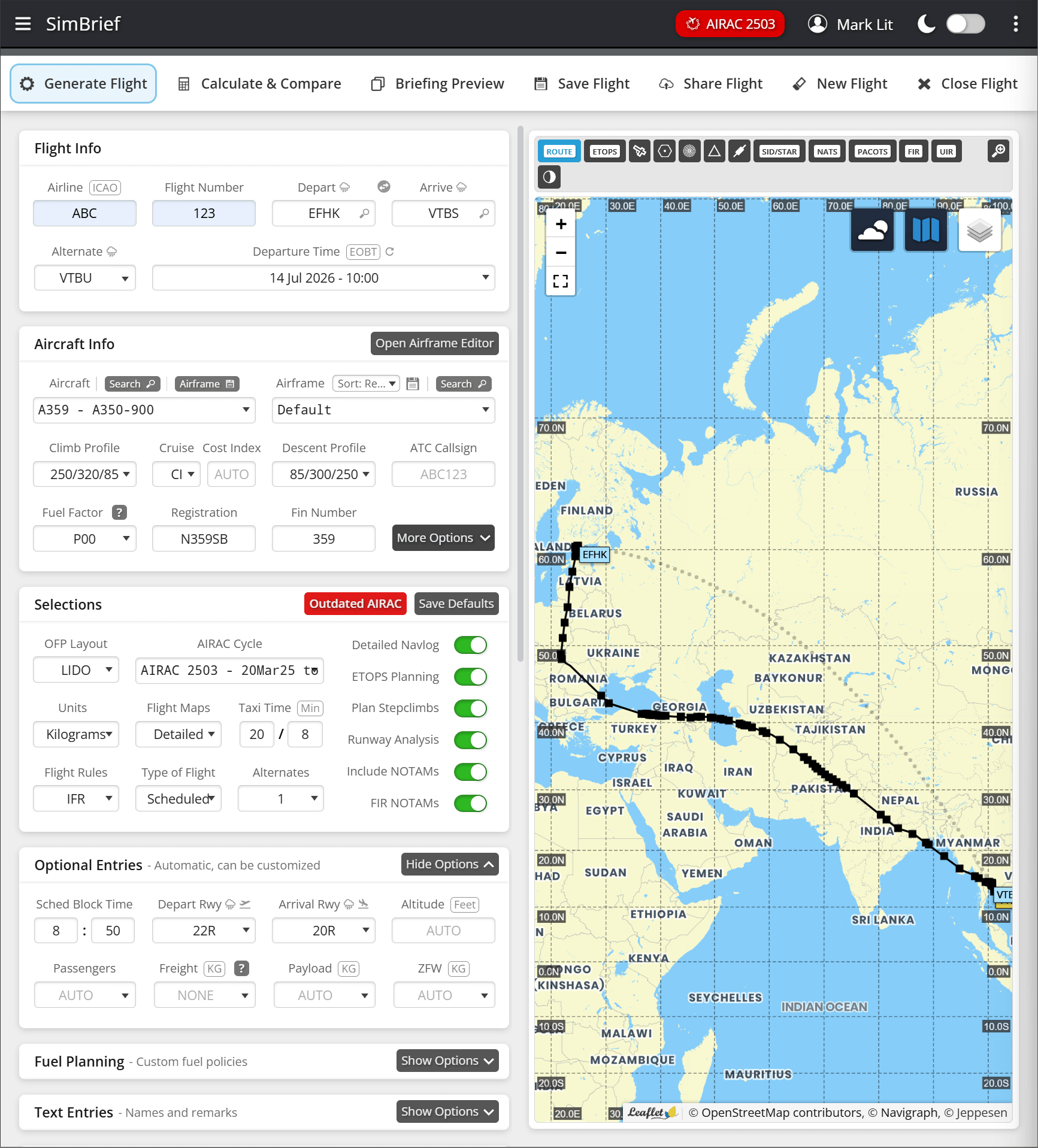
I'll use SimBrief to generate a flight plan that takes the current airspace restrictions around the world into account.
I've created a dummy airline code and flight number, set EFHK as my departure, VTBS as my arrival and the A350-900 as my aircraft type. This is the route it planned.
Clicking "Calculate & Compare" at the top will present a flight plan string along with various calculations.
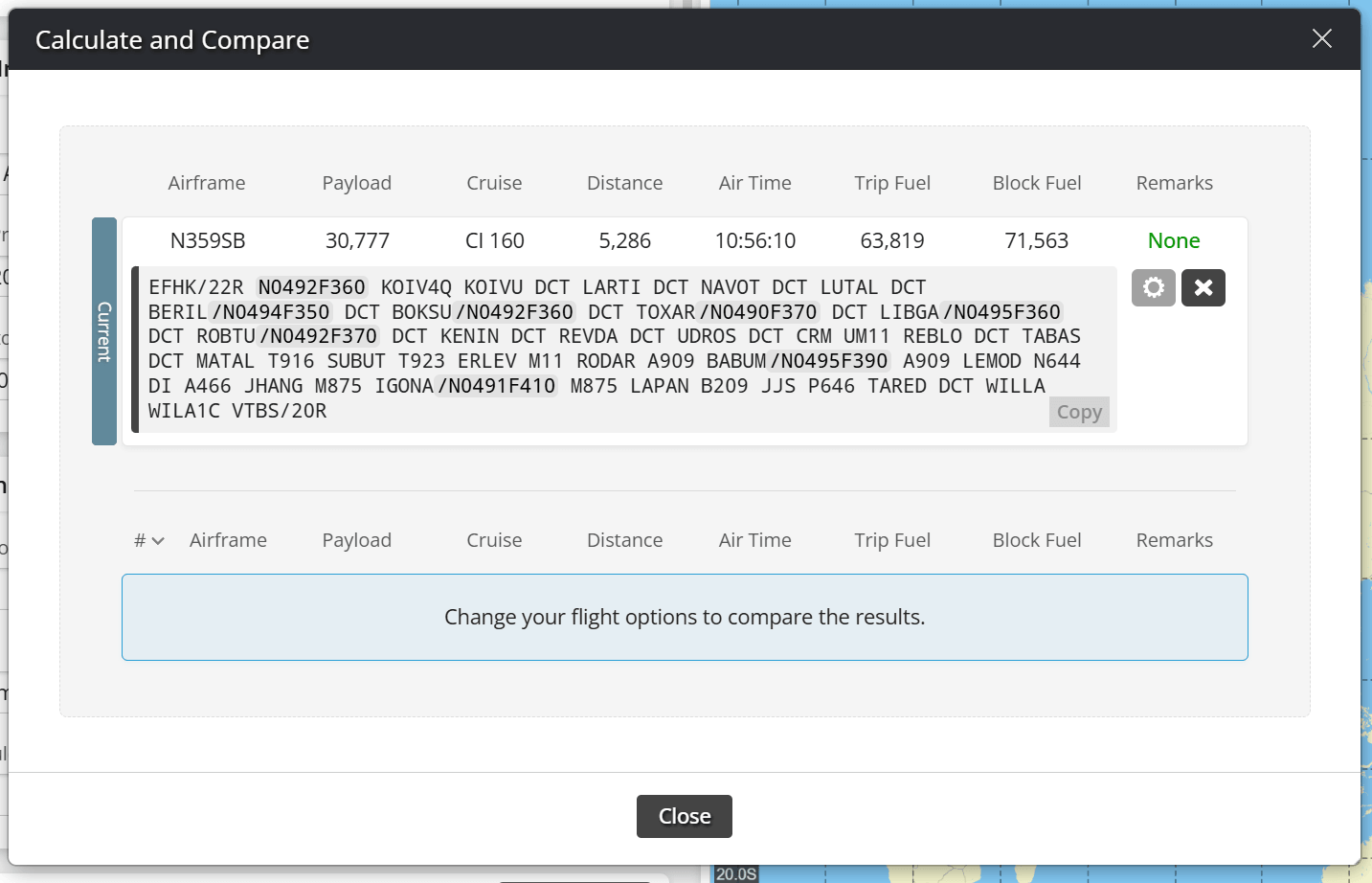
This is the plain text route string.
EFHK/22R N0492F360 KOIV4Q KOIVU DCT LARTI DCT NAVOT DCT LUTAL
DCT BERIL/N0494F350 DCT BOKSU/N0492F360 DCT TOXAR/N0490F370 DCT
LIBGA/N0495F360 DCT ROBTU/N0492F370 DCT KENIN DCT REVDA DCT
UDROS DCT CRM UM11 REBLO DCT TABAS DCT MATAL T916 SUBUT T923
ERLEV M11 RODAR A909 BABUM/N0495F390 A909 LEMOD N644 DI A466
JHANG M875 IGONA/N0491F410 M875 LAPAN B209 JJS P646 TARED DCT
WILLA WILA1C VTBS/20R
In Little Navmap, I'll click the Flight Plan Menu -> Flight Plan Route Description and then paste in the above flight plan. Click the "Create Flight Plan and Close" button at the bottom of the UI.
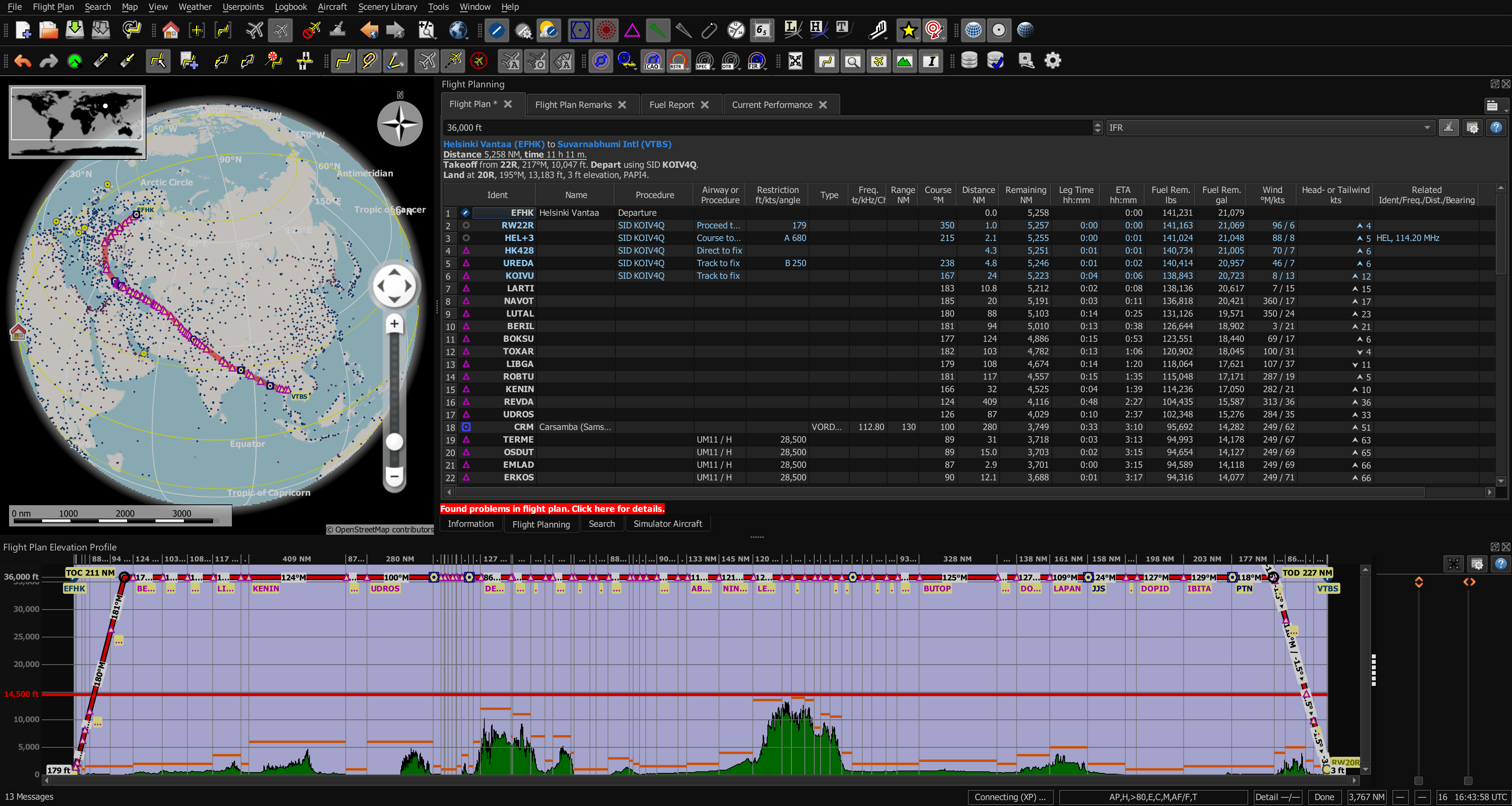
The above can then be further analysed and adjusted.